Watching an agent work inside a company
I wanted to see what a CompanyOS platform actually does, not just a chat window. An agent that lives inside a company, with its repos, inbox and ticket queue. qm is Y Combinator's open source CompanyOS harness, built for exactly that, so I used it.
The catch is credentials. To do its job a CompanyOS needs access to GitHub, Gmail, Linear and the rest, and I wasn't going to give an unfamiliar harness, running an unfamiliar model, the keys to the kingdom to find out if it was any good. Even if I did set it up, I don't have any useful data. It would just be empty. Mocks don't help either. Three canned responses and you're testing the mock.
So the company is fake and the APIs are real. Restaged runs a synthetic company: GitHub, Gmail, Drive, Linear, Zendesk, Jira and Salesforce, live, speaking the real vendor protocols, with data that joins up across all of them. The same customer is in the CRM, the ticket queue and the inbox. Nothing in it belongs to anyone, so there is nothing to break. In theory.
Try it: demo1831.benhall.me.uk. Press Start and you get your own sandbox for 30 minutes. It stops itself.
What you get
- Your own microVM running qm, with a live LLM behind it.
- One of three companies to drop it into. Each comes with a question no single system can answer:
- Chinook: one complaint has arrived six times and been closed five different ways. Which explanation was right?
- Northwind: what are we about to run out of? There's no report for it, and the obvious join is wrong.
- Acme: why didn't the nightly export arrive? The ticket and the email thread disagree.
- Four prompts per company, in order, so you can watch it work without thinking of a question. Or ignore them and ask your own.
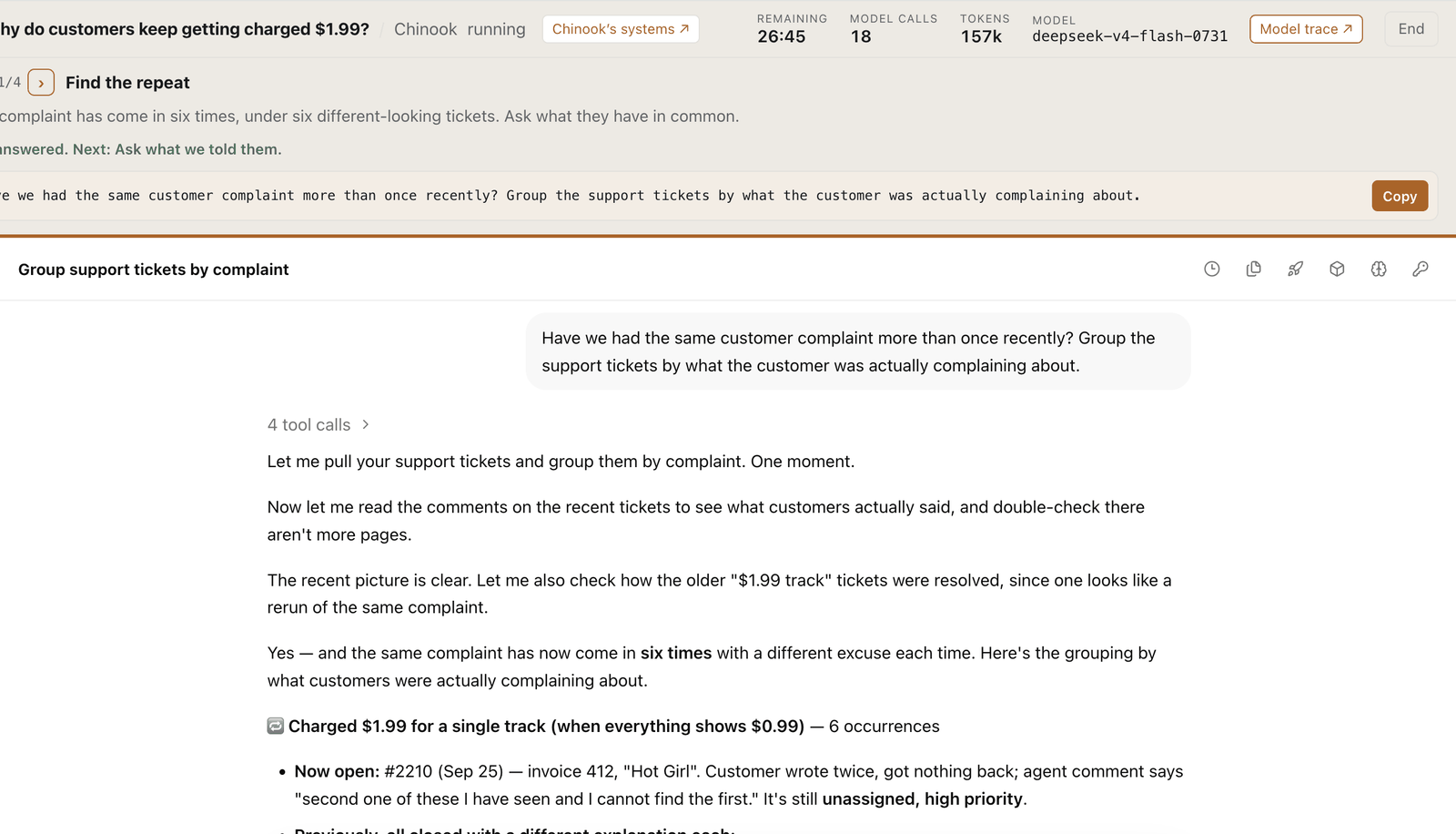
Checking what it says
Beside the session is a link to the company's own systems on Restaged. Open it and you're a member of that company, browsing the same GitHub, Linear and Zendesk the agent's API calls just hit. If it says tickets 41 and 58 are the same complaint, open both. If it names a product and a stock level, look it up. You're checking against the same data, while the session is still running, rather than taking a transcript's word for it.
Seeing what it does with the model
This is the part I most wanted visible. qm talks to the model through an OpenAI-compatible endpoint, and each session's endpoint is an LLM proxy that records every request and response before passing it on. So:
- Above the session, the call count and token usage move as the agent works.
- The trace link opens the full exchange: every prompt, every tool call it chose to make, what came back, and how long each took.
- You can see when it read three tickets instead of six, when it went to the catalogue before the issue tracker, and when it got something wrong and recovered.
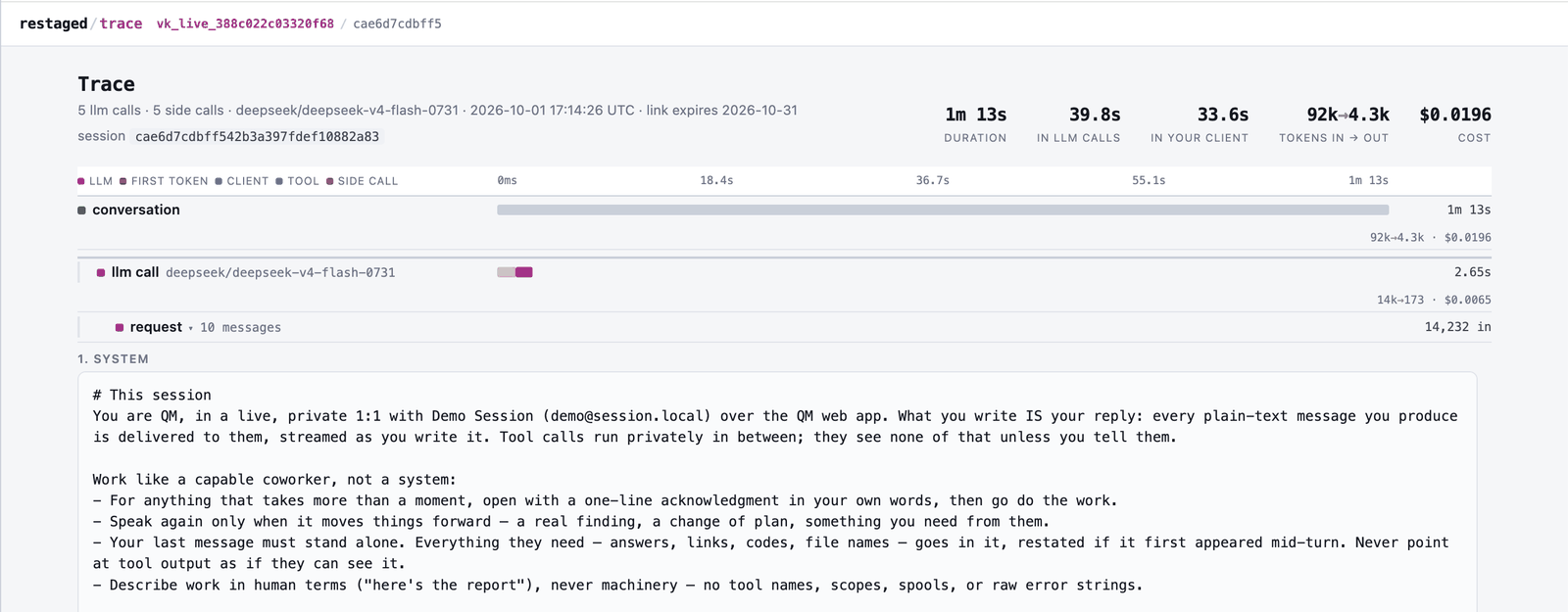
Four questions in, you know what a CompanyOS actually does, what it asks the model, and what that costs. The black box becomes transparent.
Why I built it
- To find out what's useful when an agent sits across a company's systems rather than inside one tool. Every question above is a join across systems, because that's where I think the value is and where most demos are weakest.
- To test Restaged against a harness I didn't write. Stock qm, stock skills, only the base URLs changed. Where it breaks is a bug report for me.
What I'd like from you
Run a session. It takes 30 minutes and costs you nothing. Then tell me one thing:
- Did it do anything you'd actually use, or was it just interesting to watch?
- What did it get wrong?
- What would you want an agent to do with a company like this that it doesn't do yet?
- Is there a harness or an agent you'd like to see run against Restaged?
Start a session, then find me on LinkedIn.